
For Schools
ERP for CBSE, ICSE & State Board Schools
Connect the admission office, class teachers, exam cell, accounts, transport and principal on one student record, from nursery to Class 12.
- Board-pattern report cards
- Daily attendance with alerts
- Term and monthly fee plans
- Transport for day scholars

Overview
One platform for every department
A school runs many departments at once: the admission office, class teachers, the exam cell, accounts, transport and the principal's office. When each uses its own register or spreadsheet, the same information is typed again and again, and nobody has a complete picture. EncapsEdu for Schools connects every department through one shared student record, configured for CBSE, ICSE or State board patterns.
What gets hard in a growing school
- Morning roll calls on paper, and parents who learn about absences days later
- Fee counter queues on due dates and reminders made by phone
- Report cards assembled in spreadsheets under a deadline, in a board-specific format
- Circulars in school bags and class WhatsApp groups on teachers' personal numbers
- Year-end promotion, TCs and strength reports compiled by hand
A school year in EncapsEdu
Admission enquiries are tracked from the first call to enrolment, and approved applicants become student profiles without retyping. Class teachers mark daily attendance on their phones, and parents are alerted the same day. Accountants set up tuition, transport and other fee heads once, with term or monthly instalments, and parents pay through UPI, cards or net banking. During exams, teachers enter marks for their own subjects and the exam cell generates report cards that follow your board's grading and co-scholastic pattern. At year end, whole classes are promoted in one step.
Modules schools rely on most
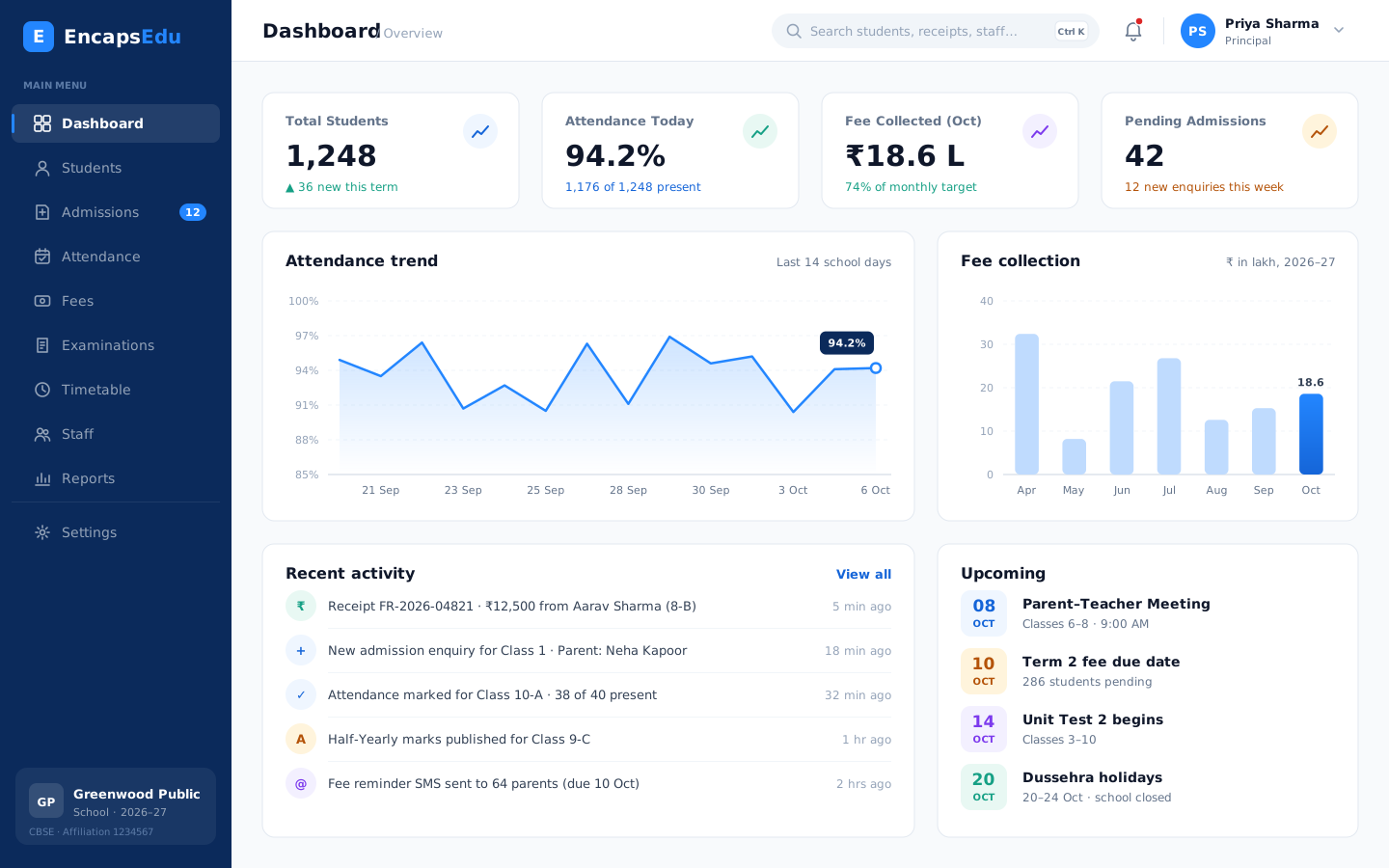
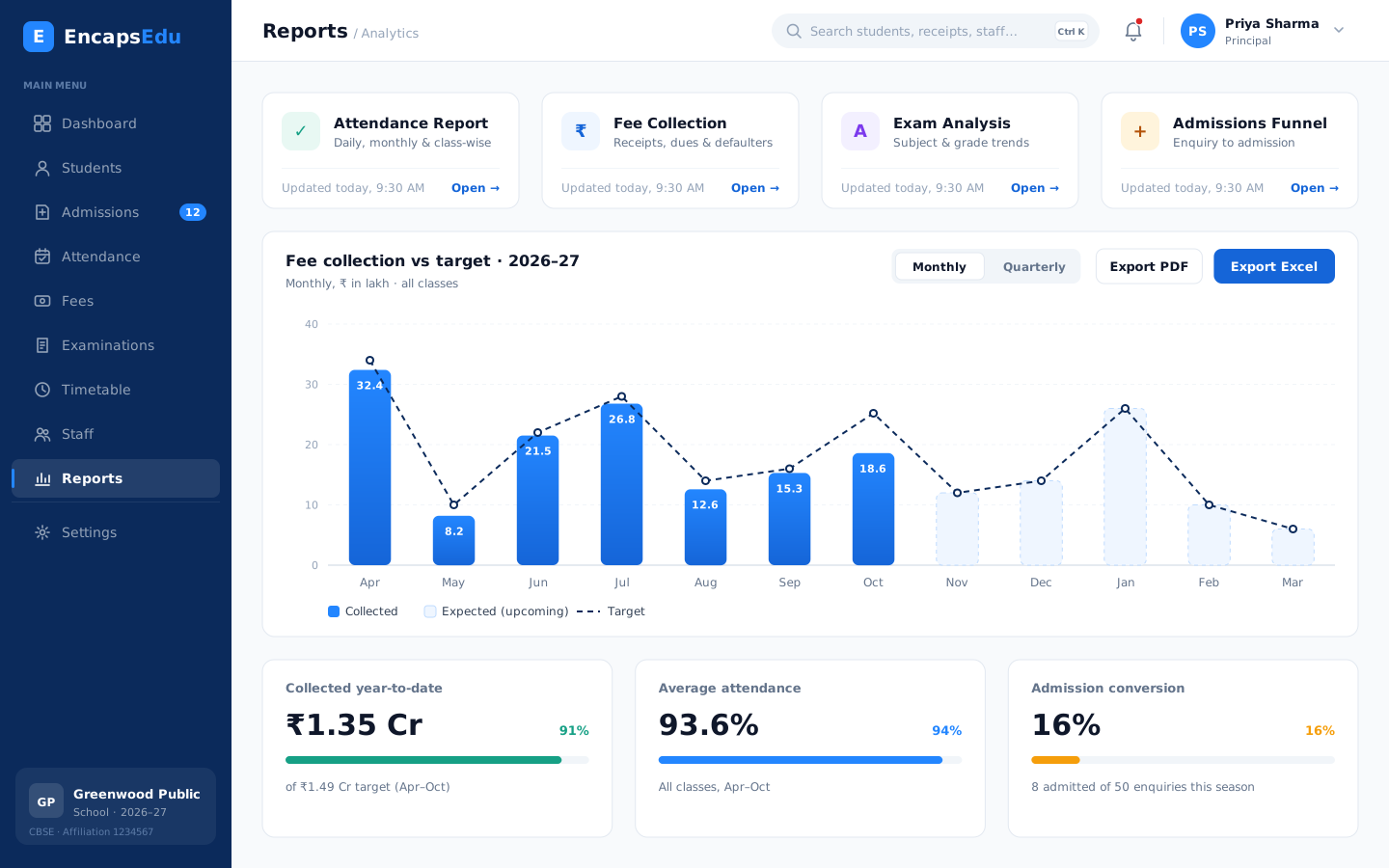
Most schools start with attendance management, fee management and parent communication, then add examination and report cards, timetables and transport. The principal sees attendance, collections and academic trends on a single dashboard.
EncapsEdu is cloud based, so there are no servers to maintain on campus, and it works on computers, tablets and smartphones. Our team helps migrate your existing data, configures your classes and fee heads, and trains staff so your school can move away from paper with confidence. Whether you are a single-section primary school or a large senior secondary school, you choose the modules you need today and add more as you grow. For a complete overview of the platform, see our school ERP software page.
Benefits
Why Schools choose EncapsEdu
Built around how schools actually work, so every team saves time from the first week.
Board-pattern report cards
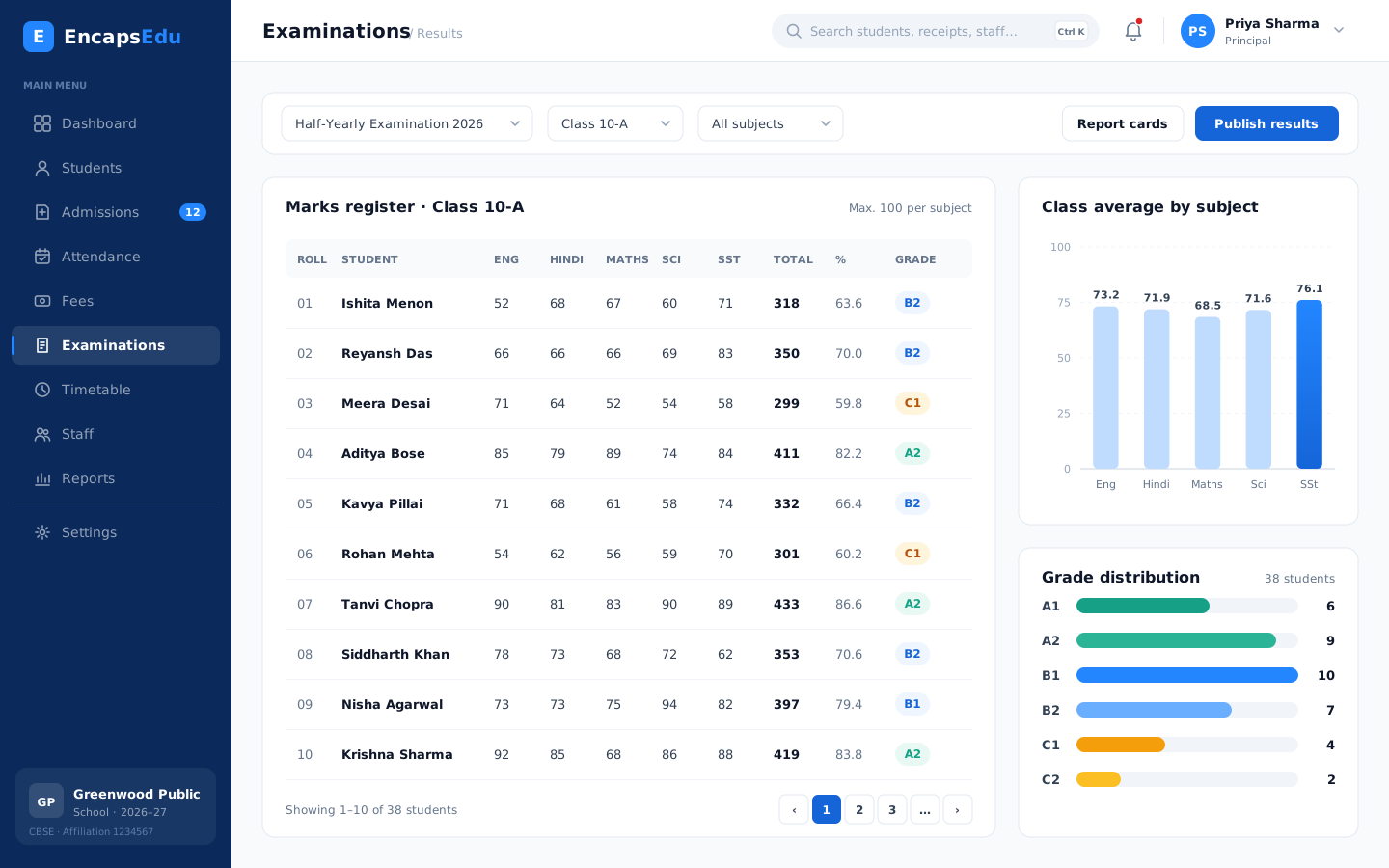
Grading scales, co-scholastic areas and report card layouts configured for CBSE, ICSE or your State board.
Daily attendance with alerts
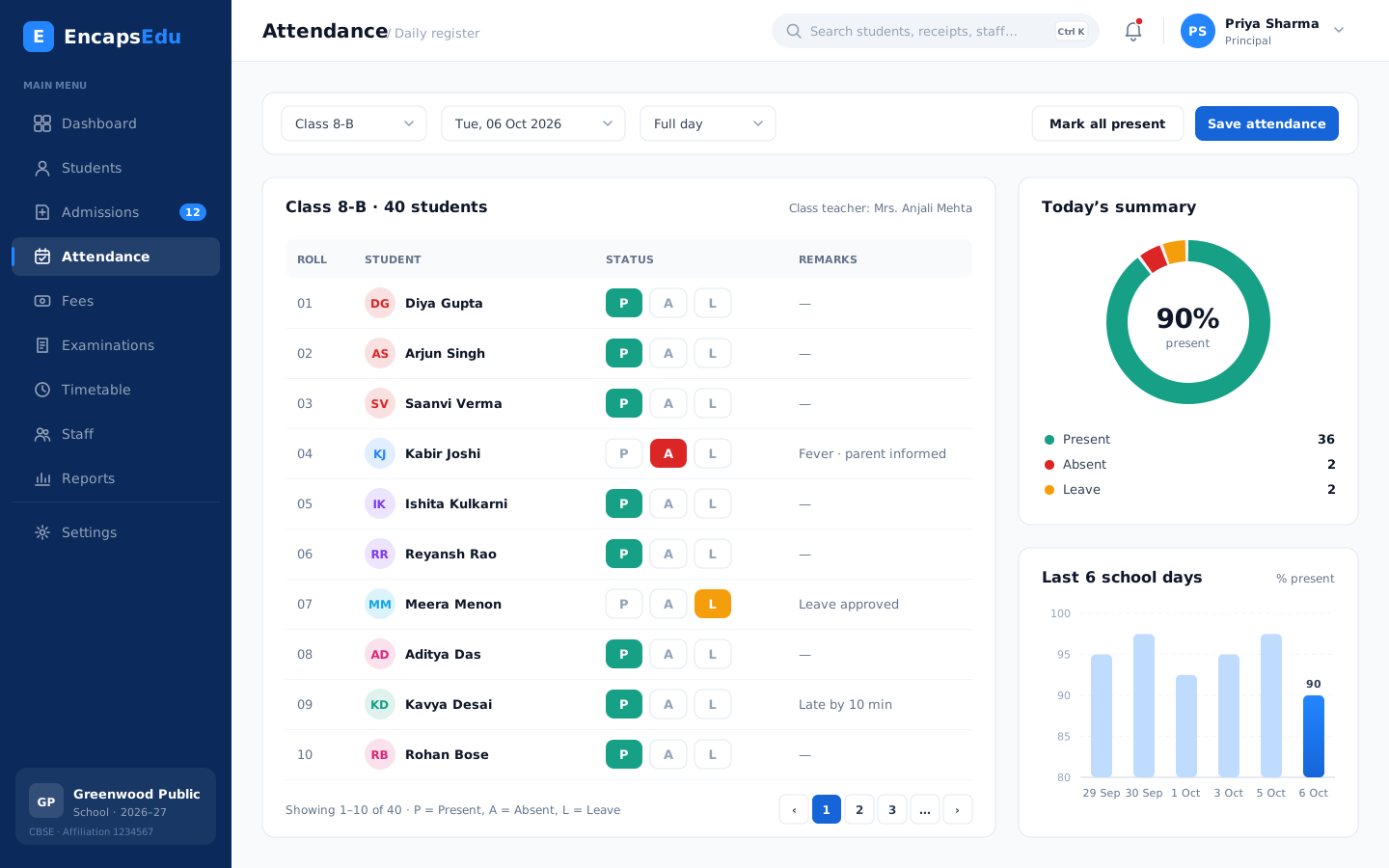
Class teachers mark attendance on a phone and parents hear about absences the same day.
Term and monthly fee plans
Instalments, sibling and staff ward concessions, UPI payments and automatic reminders.
Transport for day scholars
Routes, stops and stop-wise lists, with transport fees linked to each student's route.
Parents kept informed
Circulars, PTM invitations and results by SMS, WhatsApp, email and app, without teachers' personal numbers.
Guided onboarding
Data migration, class and fee configuration and staff training are handled with our team.
See it in action
What your team sees every day
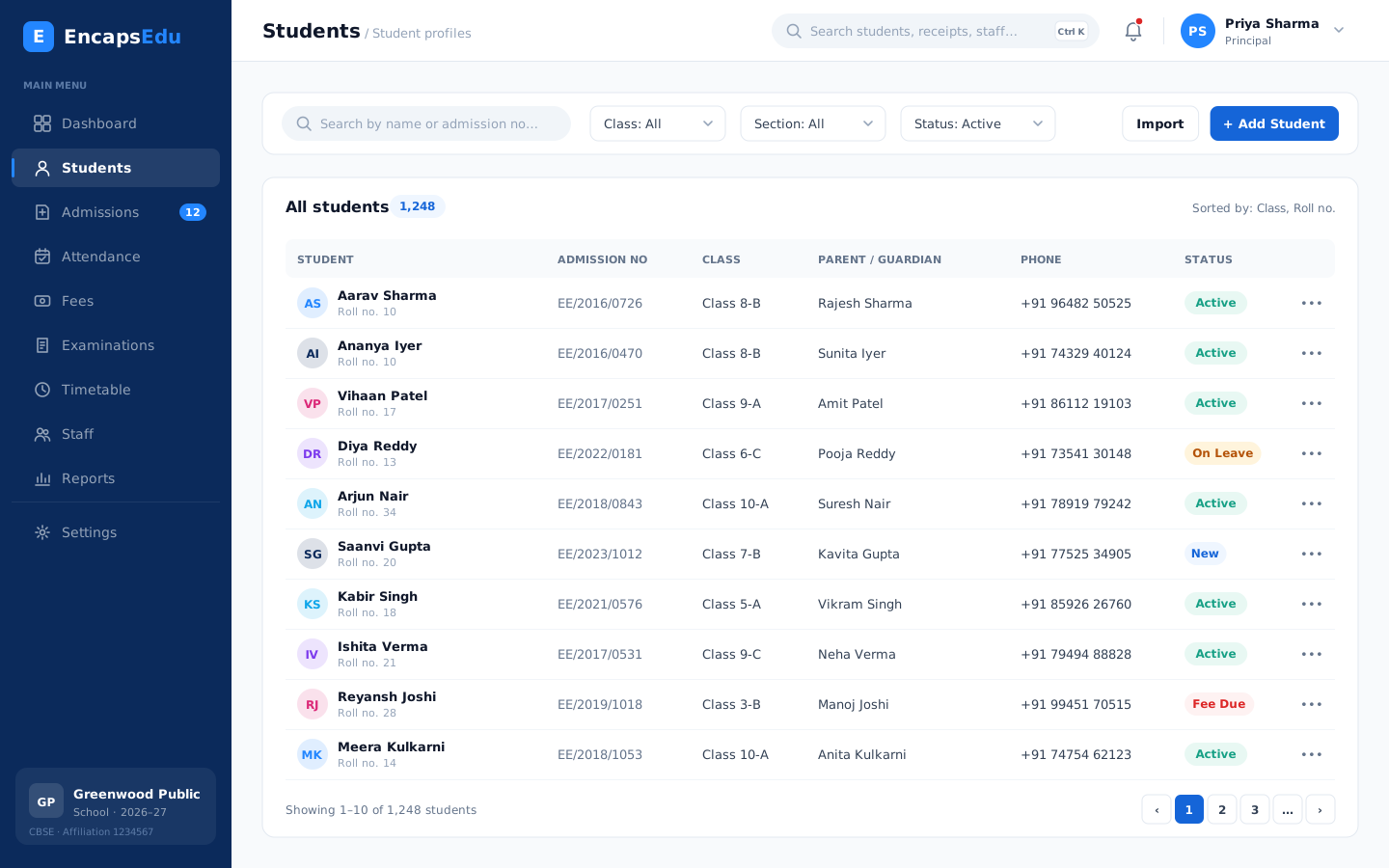
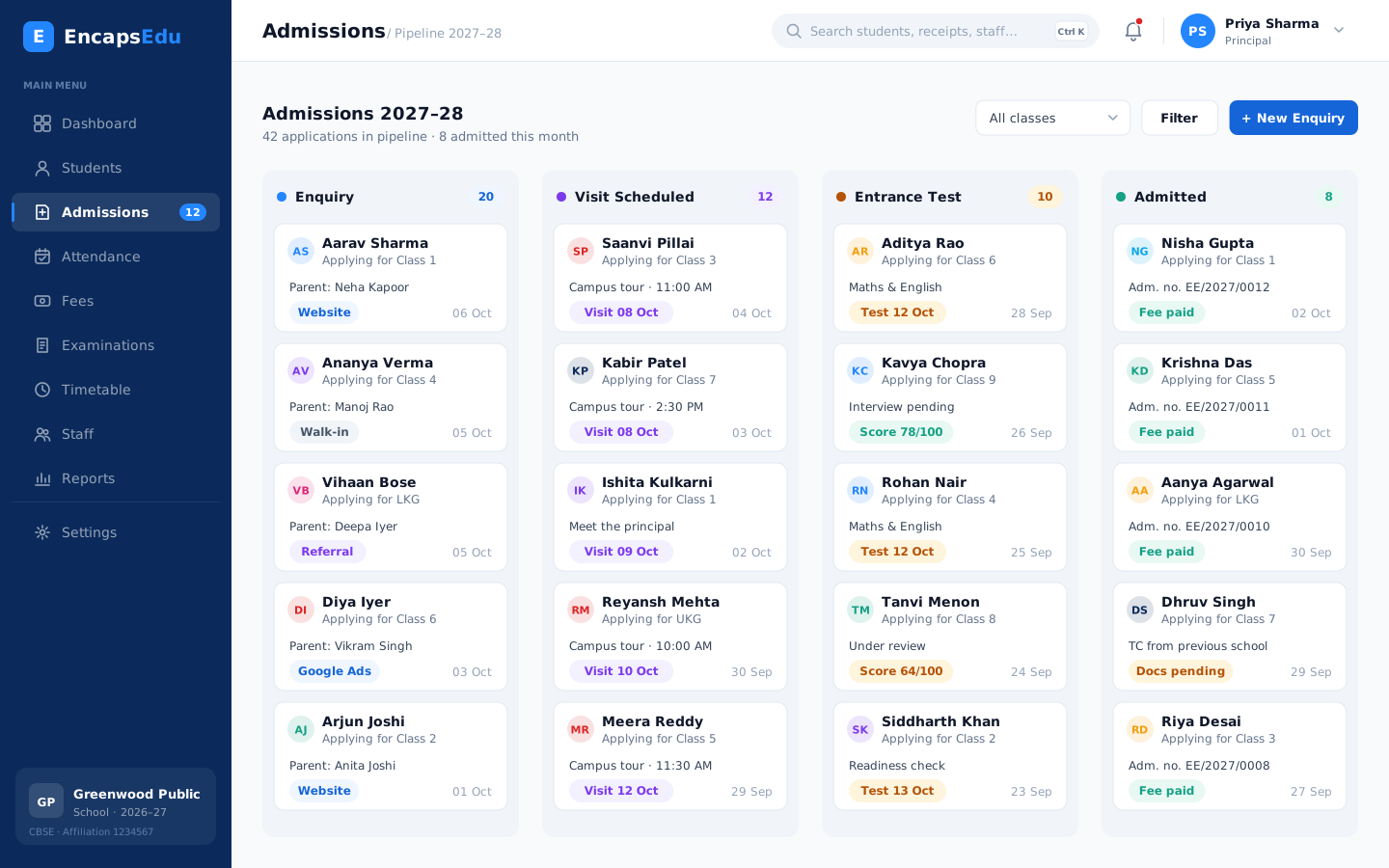
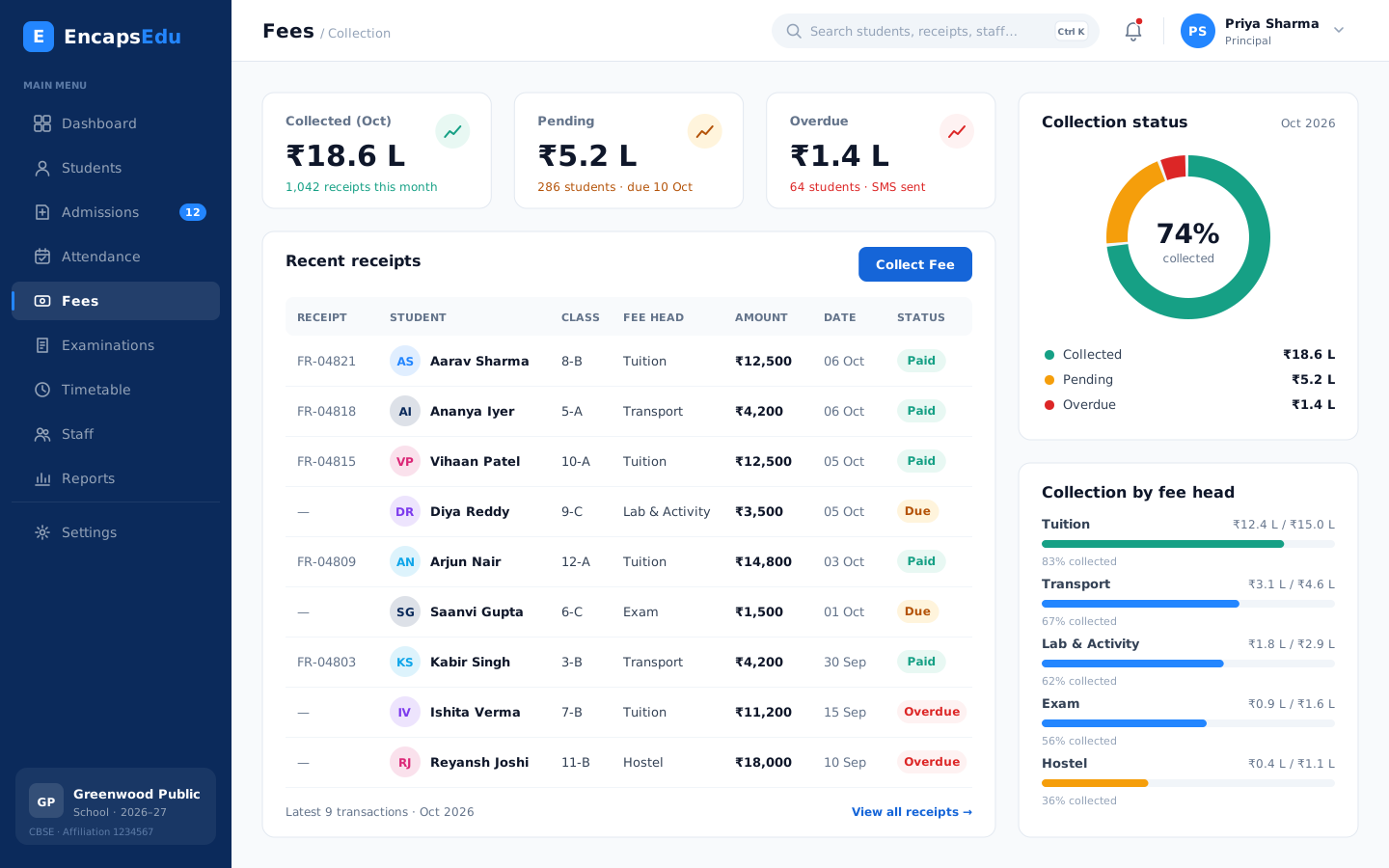
Real screens from EncapsEdu. Pick an area to preview it.
Modules
Modules Schools use most
Start with what you need today and switch on more as your school grows.
Student Management
Keep every student record, document and academic history in one secure profile that the right staff can find in seconds.
Explore moduleAdmissions & Enquiry
Capture every admission enquiry, follow up on time and convert applicants into enrolled students without losing a single lead.
Explore moduleAttendance Management
Mark student and staff attendance in seconds from any device and notify parents of absences automatically on the same day.
Explore moduleFee Management
Define fee structures, collect fees online through UPI and cards, issue receipts instantly and follow up on dues automatically.
Explore moduleExamination & Results
Plan exams, enter marks, apply grading rules and publish report cards that follow your board pattern without spreadsheet errors.
Explore moduleTimetable Management
Build clash-free class and teacher timetables, manage substitutions on busy days and share schedules instantly with staff and students.
Explore moduleStaff & HR Management
Manage staff records, leave, attendance and payroll inputs for teaching and non-teaching employees from one organised HR module.
Explore moduleParent Communication
Reach parents instantly through SMS, WhatsApp, email and app notifications with circulars, alerts and updates they actually read.
Explore moduleTransport Management
Plan routes, stops and vehicles, assign students to buses, collect transport fees and keep parents informed about pickups and delays.
Explore moduleReports & Analytics
Turn admissions, attendance, fee and exam data into clear dashboards and reports that help leaders make confident, timely decisions.
Explore moduleGetting started
Go live in 4 simple steps
Our team plans the move with you, migrates your data and trains your staff.
-
1
Book a Demo
See EncapsEdu with our team and discuss how your institution works today.
-
2
Choose Your Modules
Pick the modules you need now, from fees and attendance to exams and transport.
-
3
Setup & Training
We configure your structure, migrate your data and train your staff.
-
4
Start Managing
Go live with confidence and keep improving with our support team beside you.
FAQ
Frequently asked questions
Answers to what schools usually ask before switching to EncapsEdu.
Still have questions?
Talk to a specialist; we usually reply within a day.
Ready to see EncapsEdu for Schools?
See how EncapsEdu can simplify administration, improve communication and save hours every week. Your demo is free and takes about 30 minutes.
- Personalised 30-minute walkthrough
- Pricing for your institution size
- Data migration plan
- No obligation


