
School ERP Software for Indian Schools, from Admission to Report Card
One connected, cloud-based system for admissions, fees, attendance, exams, staff, transport and parent communication, configured to your board and your fee structure.
See EncapsEdu School ERP in action
What is school ERP software?
A school ERP (enterprise resource planning) system is one database and one set of screens that every department of a school works from: the admission desk, class teachers, the exam cell, accounts, transport, HR and the principal's office. Instead of each team keeping its own register or spreadsheet, a student's details are entered once at admission and reused wherever they are needed, for the rest of that student's time at the school.
EncapsEdu is a cloud school ERP built for Indian schools that follow CBSE, ICSE or a State board, from single-campus schools to groups running several branches. It works in the browser and on Android and iOS, so there is nothing to install on campus and no local server to maintain.
Who it is for
- Owners, trustees and management who want one reliable view of admissions, fee collections and academic performance.
- Principals and academic coordinators who need attendance, exam progress and staff information without waiting for manual reports.
- Accounts and office teams who manage fee structures, concessions, receipts, records and certificates.
- Teachers and parents, who use the mobile app for attendance, marks, notices and online fee payments.
If your priority is simply to make daily office and classroom routines easier in a smaller school, our page on school management software for daily administration describes that lighter starting point. If you are still comparing vendors, our step-by-step guide to choosing a school ERP lists the questions worth asking.
Problems a school ERP solves
Most schools do not lack effort; they lack connected information. These are the gaps we see most often.
The same data typed again and again
Admission forms, class registers, fee ledgers and exam sheets each hold their own copy of student details. One shared record removes the re-typing and the mismatches.
Month-end fee reconciliation
Cash, cheque, UPI and bank payments recorded in different places make dues hard to trust. Every payment is linked to the student and fee head as it happens.
The report card crunch
Marks collected on paper and copied into spreadsheets delay results. Teachers enter marks once and report cards follow your board's grading pattern.
Parents chasing information
Calls about absences, dues and circulars fill the office day. Parents get alerts and notices by SMS, WhatsApp, email or app notification instead.
Decisions without numbers
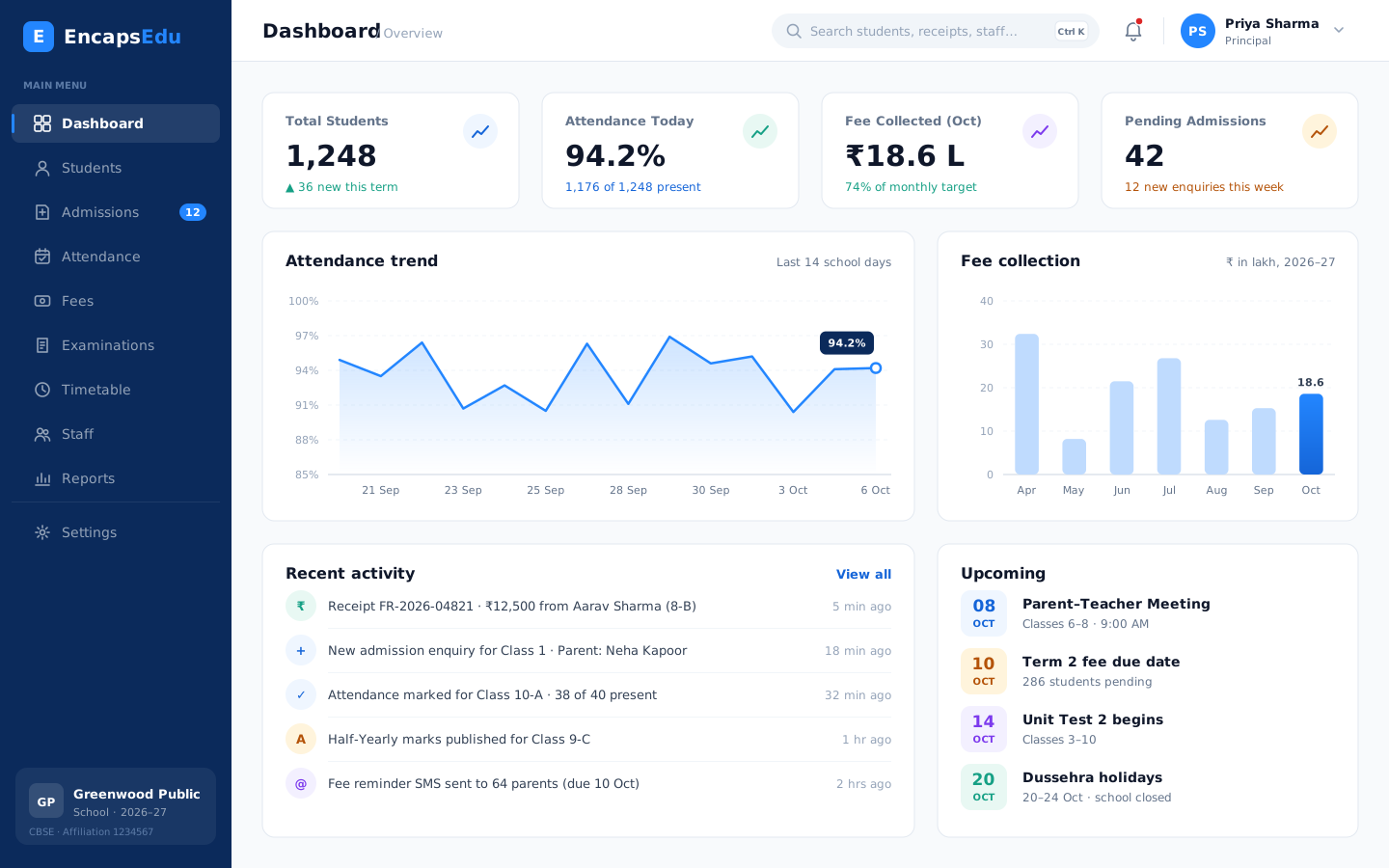
Management waits for someone to compile reports. Dashboards show attendance, collections and pending dues whenever they are needed.
Data on personal devices
Spreadsheets on staff laptops and phones are hard to secure. Role-based access, encrypted connections and backups keep school data under control.
School ERP modules
Each module is covered in detail on its own page. Start with the modules you need today and switch on others as your school grows.
Student Management
Keep every student record, document and academic history in one secure profile that the right staff can find in seconds.
Admissions & Enquiry
Capture every admission enquiry, follow up on time and convert applicants into enrolled students without losing a single lead.
Attendance Management
Mark student and staff attendance in seconds from any device and notify parents of absences automatically on the same day.
Fee Management
Define fee structures, collect fees online through UPI and cards, issue receipts instantly and follow up on dues automatically.
Examination & Results
Plan exams, enter marks, apply grading rules and publish report cards that follow your board pattern without spreadsheet errors.
Timetable Management
Build clash-free class and teacher timetables, manage substitutions on busy days and share schedules instantly with staff and students.
Staff & HR Management
Manage staff records, leave, attendance and payroll inputs for teaching and non-teaching employees from one organised HR module.
Parent Communication
Reach parents instantly through SMS, WhatsApp, email and app notifications with circulars, alerts and updates they actually read.
Transport Management
Plan routes, stops and vehicles, assign students to buses, collect transport fees and keep parents informed about pickups and delays.
Hostel Management
Allocate rooms and beds, track hostel attendance, visitors and leave, and collect hostel and mess fees from a single module.
Reports & Analytics
Turn admissions, attendance, fee and exam data into clear dashboards and reports that help leaders make confident, timely decisions.
How the modules work together across the year
The value of an ERP lies in the connections between modules. This is how a typical academic year flows through EncapsEdu:
- Admission. Enquiries from walk-ins, calls and your website are tracked in admission and enquiry management. When a family confirms, the applicant becomes a student with class, section, guardian and document details in student information management.
- Fees. The student is assigned the right fee heads, instalments and concessions in school fee management. Parents pay by UPI, cards or net banking, receipts are issued automatically and reminders go out before due dates.
- Daily attendance. Teachers mark attendance on the mobile app through student attendance management, and parents of absent students are informed the same day.
- Timetable and staff. Periods and substitutions are planned in school timetable management, while staff records, leave, attendance and payroll inputs sit in staff and HR management.
- Exams and report cards. The exam cell sets up terms, subjects and grading in examination and report card management; teachers enter marks and report cards are generated in your board's format.
- Communication and reporting. Circulars, results and fee reminders go out through parent communication by SMS, WhatsApp and app, and management reviews the whole picture in school reports and analytics dashboards.
Schools with buses or boarding students add school transport management and hostel management, both working from the same student and fee records.
Configured for CBSE, ICSE and State board schools
Indian schools differ in how they assess students, charge fees and communicate with families, so EncapsEdu is configured around your school rather than the other way round.
- Assessment pattern: terms, unit tests, practicals, maximum marks, grading scales and co-scholastic areas are set up to match the board you follow, and report cards use that structure.
- Fee model: fee heads such as tuition, transport and examination fees, instalments and concessions are defined once and applied automatically by class, category or student.
- Academic structure: classes, sections and subjects are configured per academic year, with teachers assigned to their classes and subjects.
- Branches: groups with more than one campus can run every branch in one system with branch-level access. See ERP for multi-branch school groups.
For a closer look at how schools of different boards and sizes use EncapsEdu, see EncapsEdu for CBSE, ICSE and State board schools.
How implementation works
- Discovery and demo. We learn how your classes, fee structure, exam pattern and current tools work, then show EncapsEdu using that context rather than a generic tour.
- Configuration. Our onboarding team sets up your academic year, classes and sections, fee structures, exam pattern and user roles with you.
- Data migration. Student, staff and fee data is imported from Excel or your previous software and checked with your office team before go-live.
- Role-wise training. Administrators, accountants, teachers and front-office staff are trained on the screens they will actually use.
- Go-live in stages. Many schools start with student records, fees, attendance and parent communication, then add exams, timetable, transport and HR once staff are comfortable. Our support team stays available after go-live.
The timeline depends on the modules you choose and the condition of your existing data, and we agree a plan with you before starting. If you are moving off spreadsheets, our guide to moving from Excel to a school ERP explains how to prepare your data. You can review plan options on the EncapsEdu pricing page.
Why schools choose EncapsEdu
Designed around the daily reality of Indian schools, from the fee counter to the parents' WhatsApp.
Built for Indian boards
CBSE, ICSE and State board assessment patterns, INR fee structures and UPI payments are part of the design, not add-ons.
One record, every module
Admissions, fees, attendance, exams, transport and communication share one student record, so reports agree with each other.
Web, Android and iOS
Office staff work on the web, while teachers and parents use the mobile apps for daily tasks.
Guided onboarding
Data migration, configuration and staff training are handled with you, step by step.
Secure, and your data stays yours
Encrypted connections, role-based access and regular backups. Your school always owns its data.
Start small, grow later
Begin with the modules you need now and switch on more as your school or group expands.
A glimpse of the school dashboard
School ERP software: common questions
See EncapsEdu with your own school set-up
Book a free, personalised demo and see how EncapsEdu would handle your classes, fee structure and report cards.
Book a Free Demo