
For Multi-Branch Institutions
Multi-Campus ERP for School Groups & Education Trusts
Standardise processes, control access by branch and see consolidated admissions, fees and academic performance across every school and college in your group.
- Centralised standards
- Branch-level access
- Consolidated reporting
- Faster new campus setup
Overview
One platform for every department
Education groups and trusts running several schools or colleges face a particular challenge: each campus tends to develop its own processes, formats and spreadsheets, and the central office struggles to get a consistent, current view. EncapsEdu for Multi-Branch Institutions puts every campus on one platform while keeping branch-level independence where it is needed.
The central office problem
- Every branch sends figures in a different format, at a different time
- Fee structures, report cards and notices drift apart from campus to campus
- Opening a new branch means setting everything up from scratch
- Leadership cannot compare admissions, collections or results without manual consolidation
Central standards, local control
Fee structures, grading patterns, report card templates and communication templates can be defined centrally and adapted by branch. Staff at each campus see only their own branch's data, while group administrators and management can view consolidated and comparative reports across all branches. A group can run CBSE schools, State board schools and colleges together, each branch using the structure that suits it.
What the group office sees
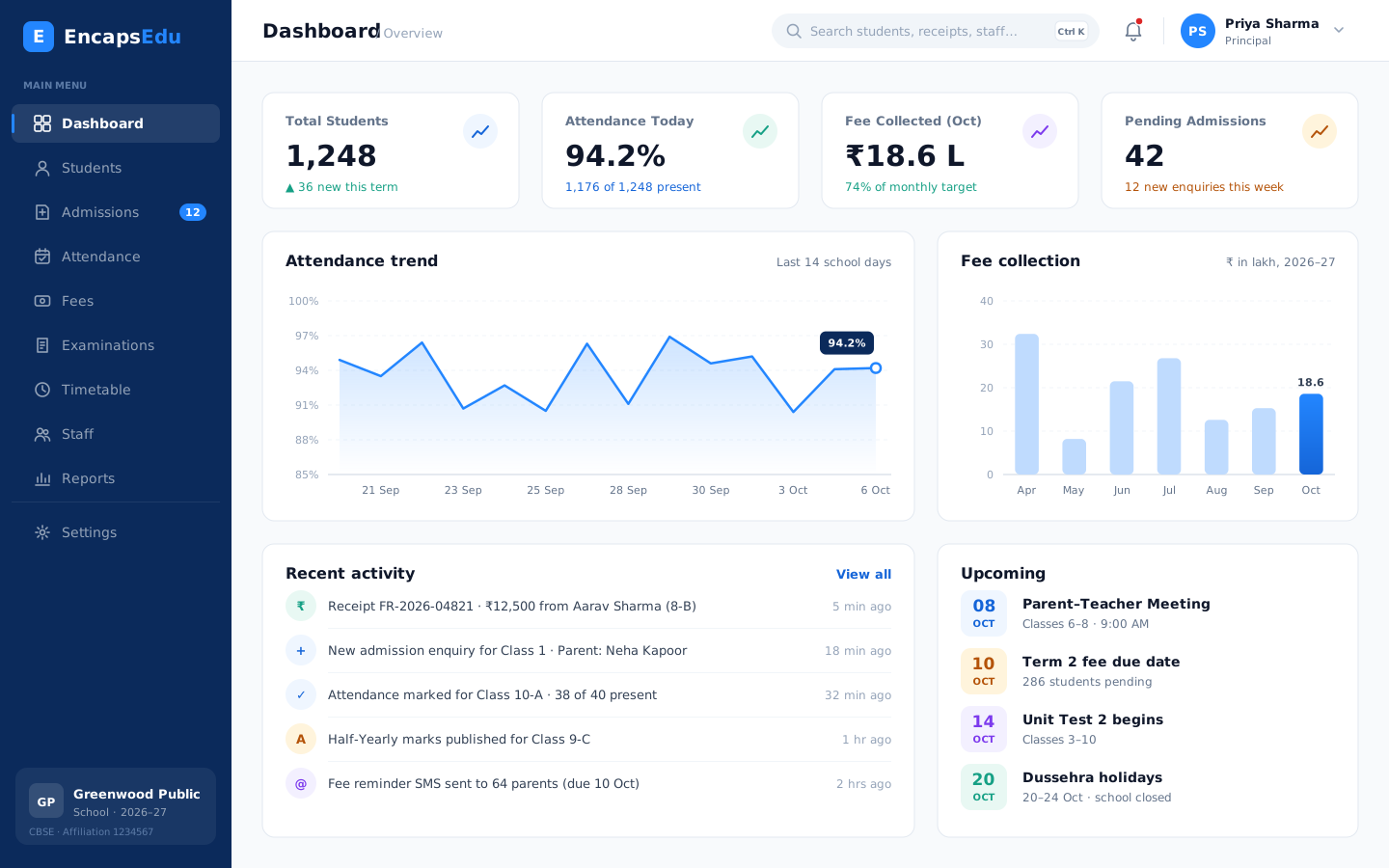
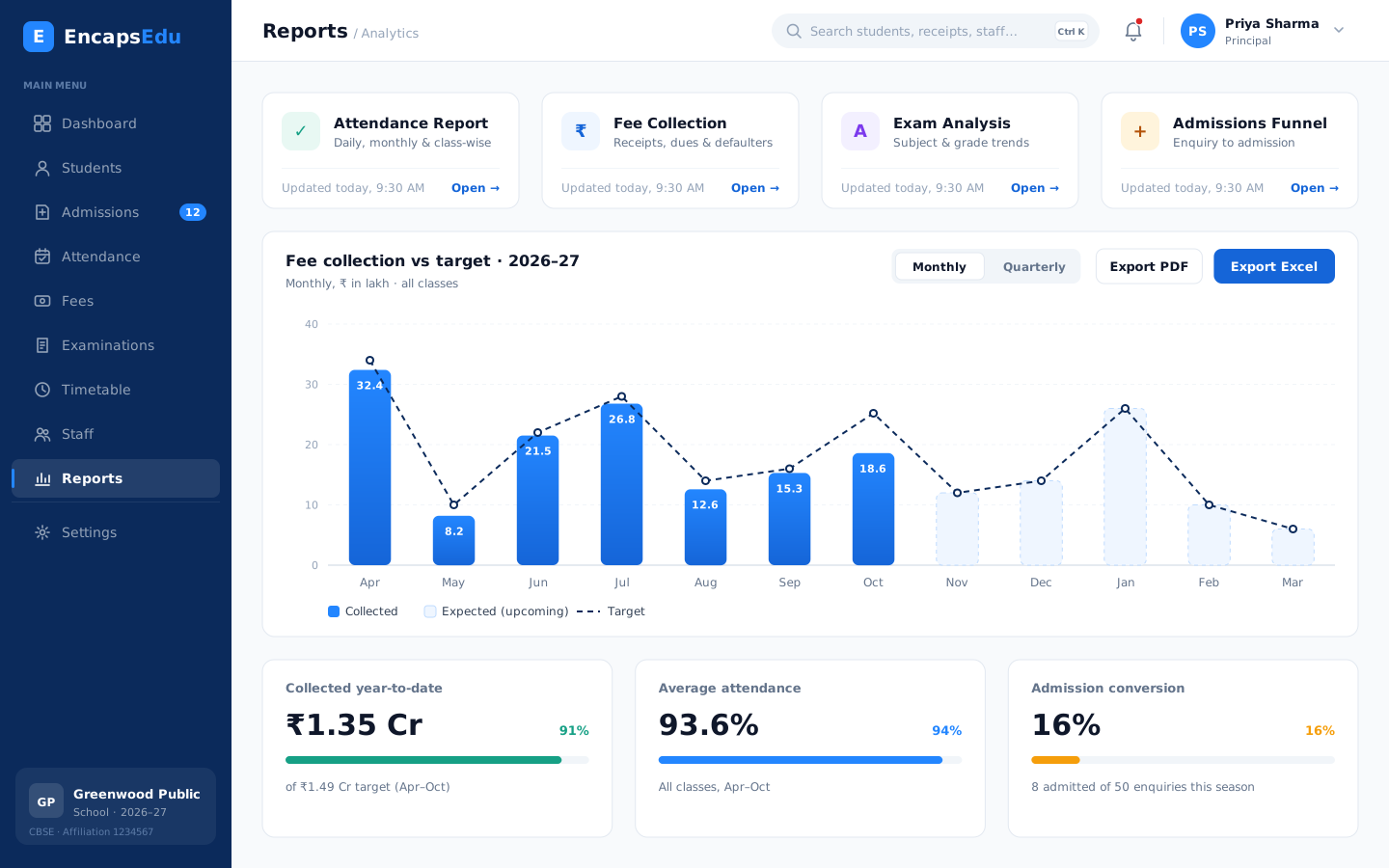
With reports and analytics, admissions, fee collections, attendance and results can be compared branch by branch, helping leadership decide where to invest support and resources. Staff and HR records show staffing across campuses, and parent communication templates keep the group's voice consistent.
Adding campuses
New campuses can be onboarded using the same configuration, which shortens setup time and keeps standards consistent as the group grows. Hostels and transport fleets at different locations are managed in the same system.
Our team works with your central office to plan a phased rollout, usually starting with one or two campuses and then extending the proven configuration to the rest, and trains branch staff along the way.
Benefits
Why Multi-Branch Institutions choose EncapsEdu
Built around how multi-branch institutions actually work, so every team saves time from the first week.
Centralised standards
Define fee, grading and communication templates once and apply them across branches.
Branch-level access
Branch staff see their own campus while group leaders see everything.
Consolidated reporting
Compare admissions, collections, attendance and results across campuses.
Faster new campus setup
Reuse existing configuration when opening a new branch.
Scales with you
Add branches, students and modules without changing systems.
Phased rollout support
Our team plans and supports implementation campus by campus.
See it in action
What your team sees every day
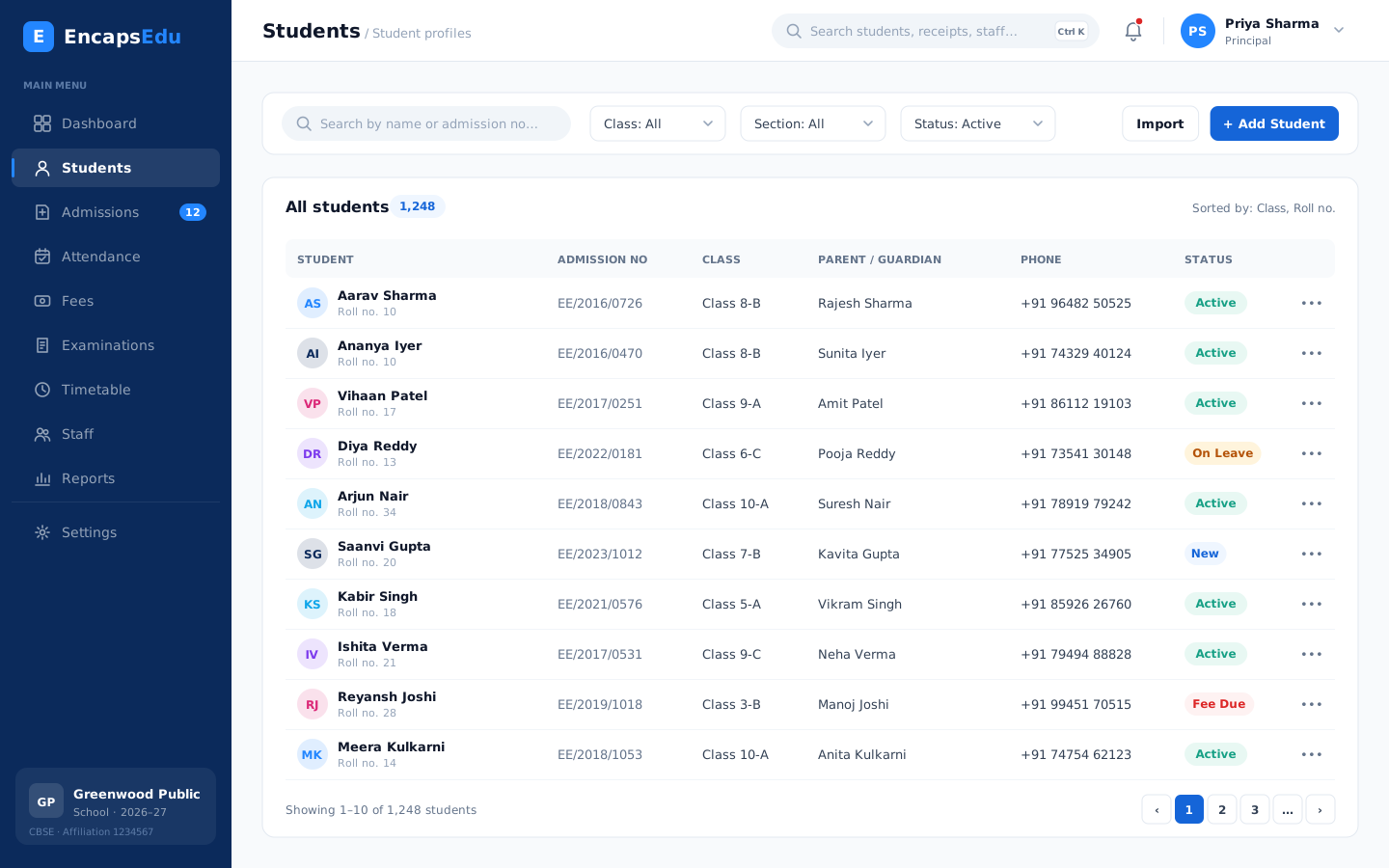
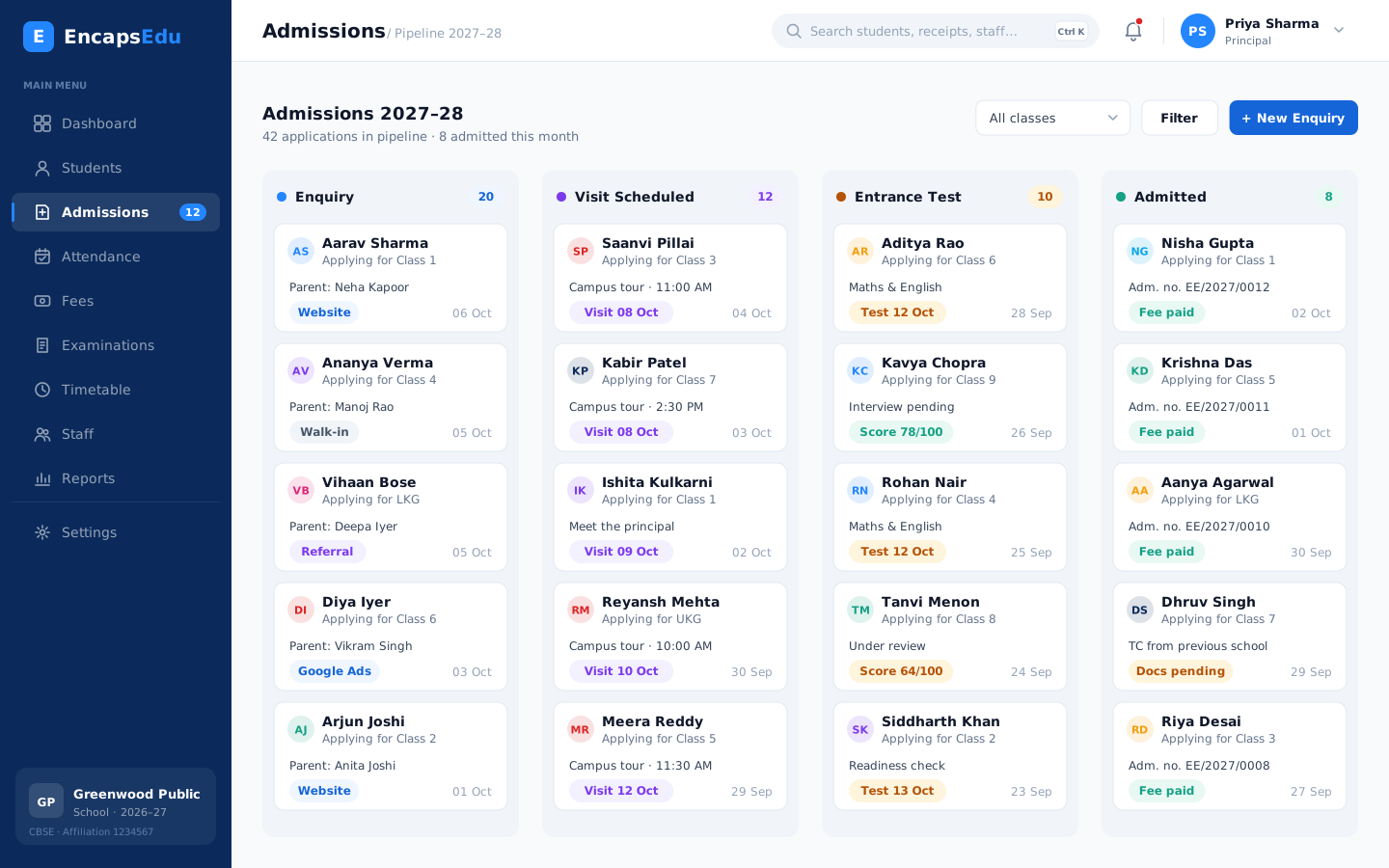
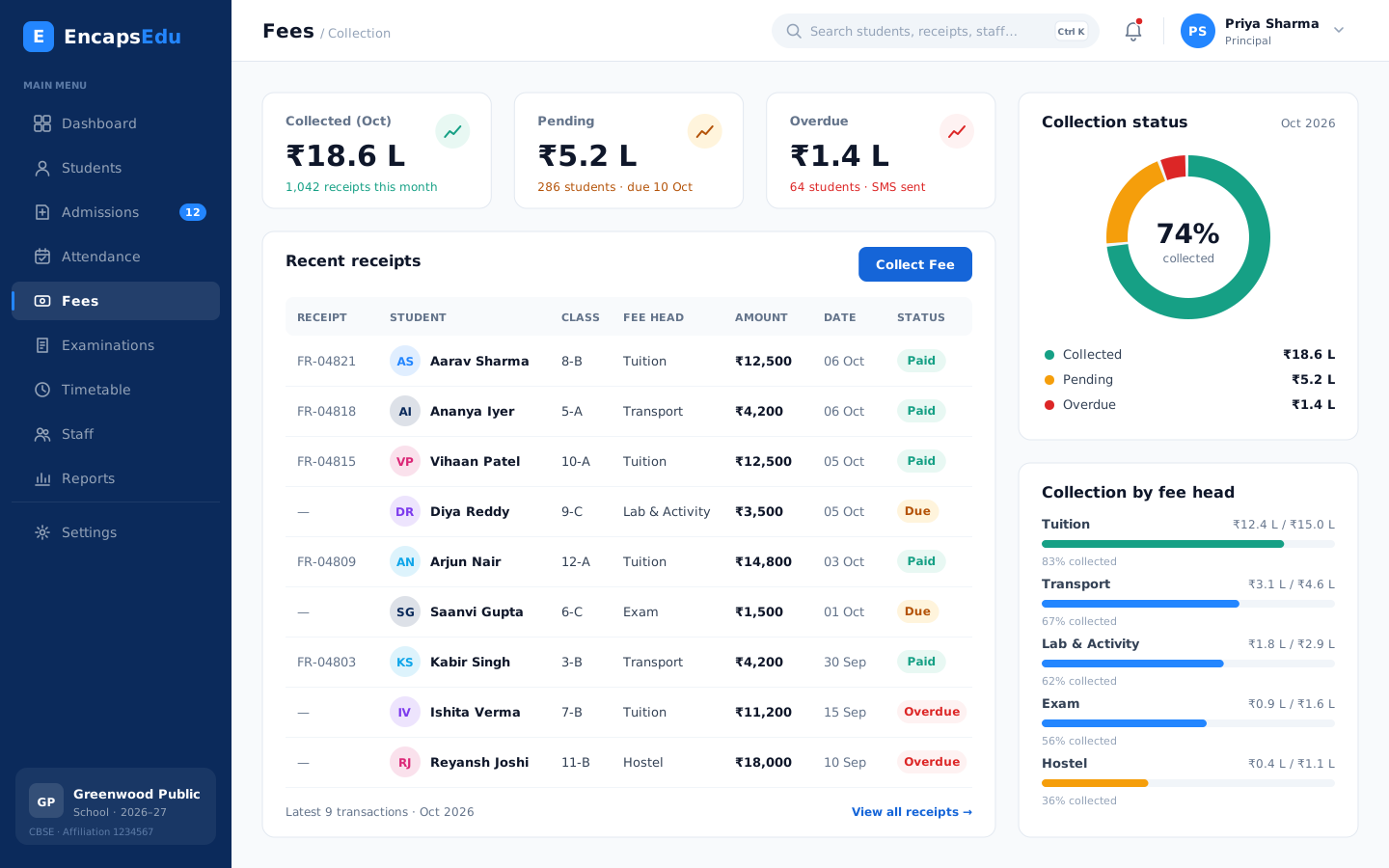
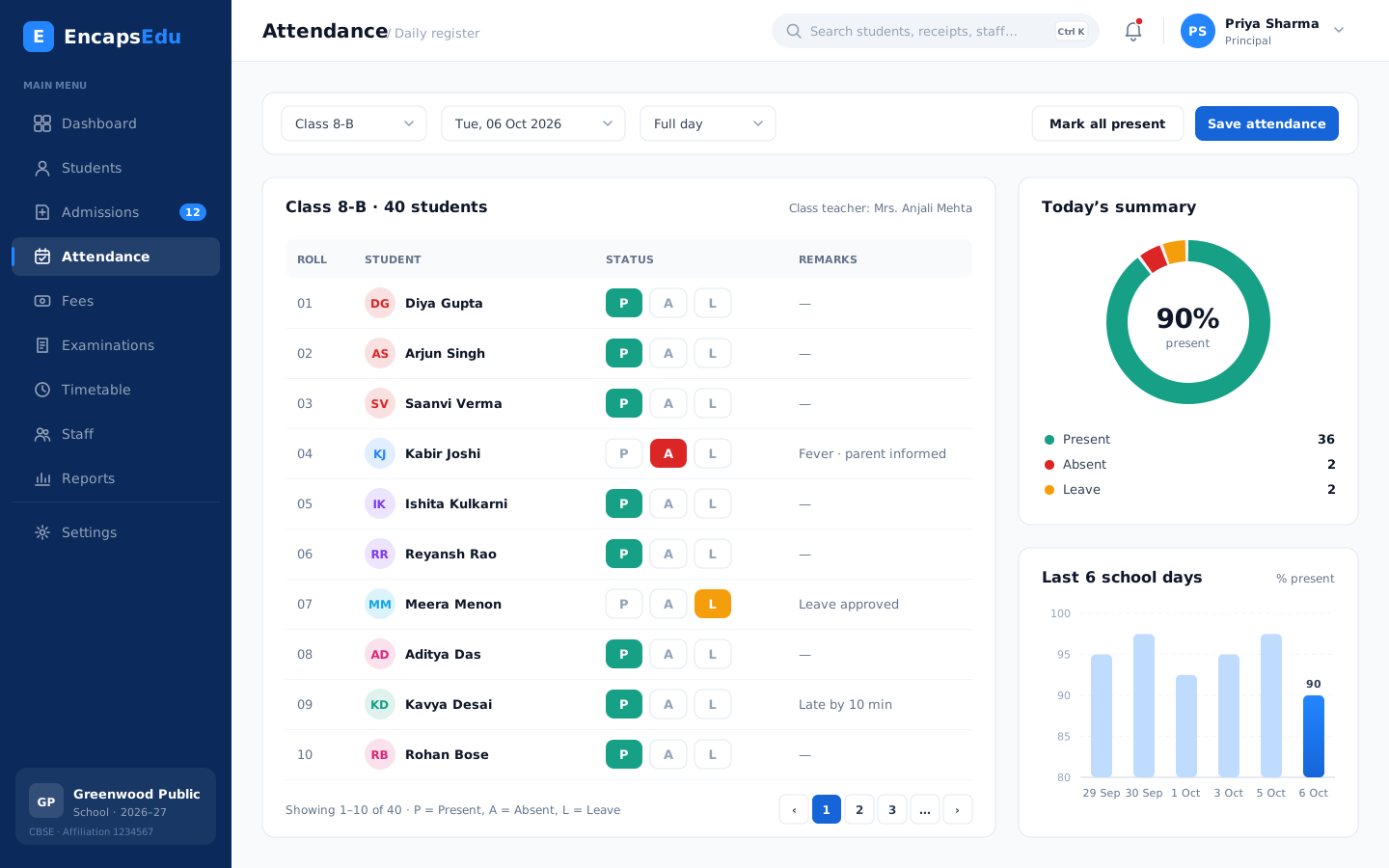
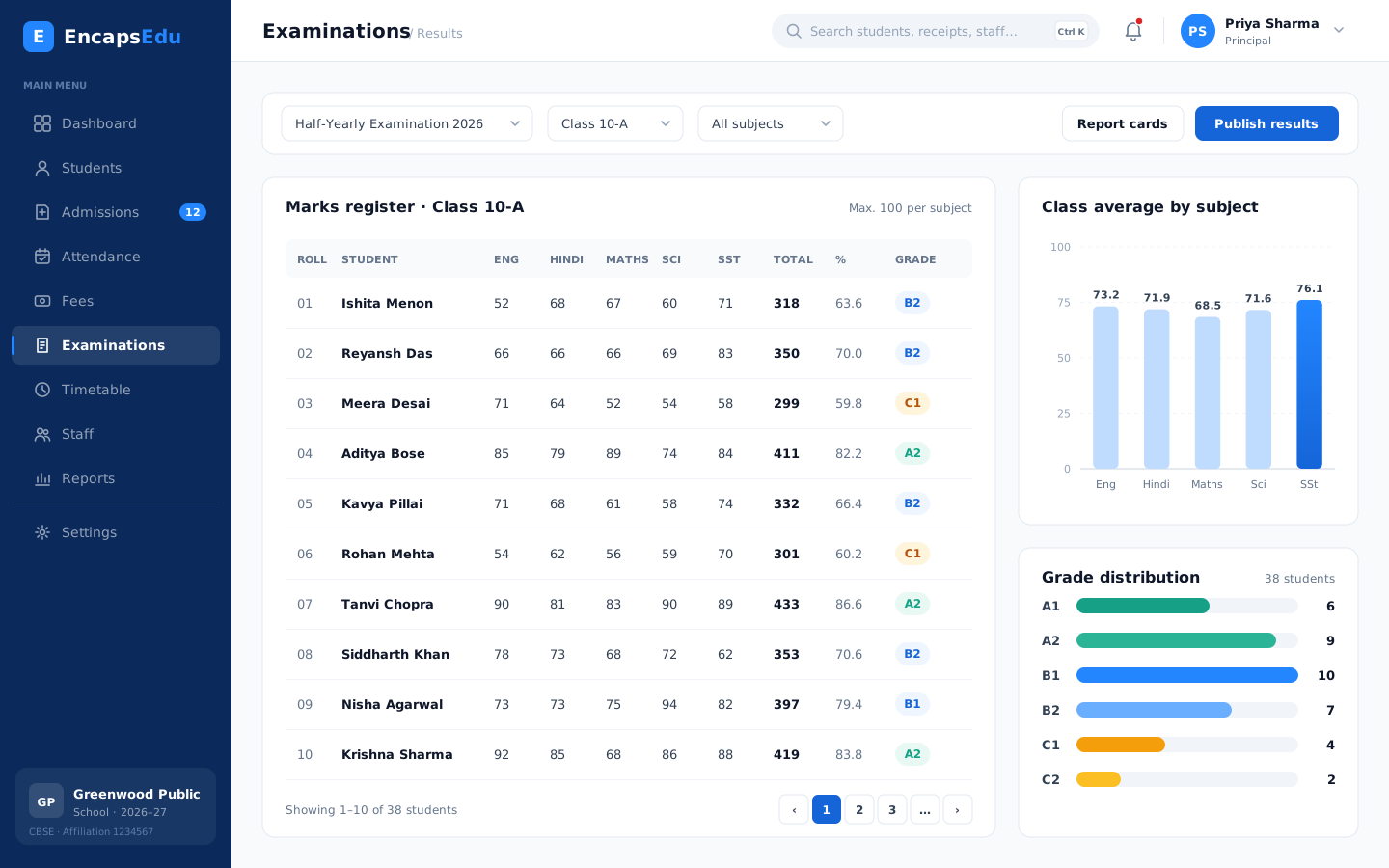
Real screens from EncapsEdu. Pick an area to preview it.
Modules
Modules Multi-Branch Institutions use most
Start with what you need today and switch on more as your multi-branch institution grows.
Student Management
Keep every student record, document and academic history in one secure profile that the right staff can find in seconds.
Explore moduleAdmissions & Enquiry
Capture every admission enquiry, follow up on time and convert applicants into enrolled students without losing a single lead.
Explore moduleAttendance Management
Mark student and staff attendance in seconds from any device and notify parents of absences automatically on the same day.
Explore moduleFee Management
Define fee structures, collect fees online through UPI and cards, issue receipts instantly and follow up on dues automatically.
Explore moduleExamination & Results
Plan exams, enter marks, apply grading rules and publish report cards that follow your board pattern without spreadsheet errors.
Explore moduleStaff & HR Management
Manage staff records, leave, attendance and payroll inputs for teaching and non-teaching employees from one organised HR module.
Explore moduleParent Communication
Reach parents instantly through SMS, WhatsApp, email and app notifications with circulars, alerts and updates they actually read.
Explore moduleTransport Management
Plan routes, stops and vehicles, assign students to buses, collect transport fees and keep parents informed about pickups and delays.
Explore moduleHostel Management
Allocate rooms and beds, track hostel attendance, visitors and leave, and collect hostel and mess fees from a single module.
Explore moduleReports & Analytics
Turn admissions, attendance, fee and exam data into clear dashboards and reports that help leaders make confident, timely decisions.
Explore moduleGetting started
Go live in 4 simple steps
Our team plans the move with you, migrates your data and trains your staff.
-
1
Book a Demo
See EncapsEdu with our team and discuss how your institution works today.
-
2
Choose Your Modules
Pick the modules you need now, from fees and attendance to exams and transport.
-
3
Setup & Training
We configure your structure, migrate your data and train your staff.
-
4
Start Managing
Go live with confidence and keep improving with our support team beside you.
FAQ
Frequently asked questions
Answers to what multi-branch institutions usually ask before switching to EncapsEdu.
Still have questions?
Talk to a specialist; we usually reply within a day.
Ready to see EncapsEdu for Multi-Branch Institutions?
See how EncapsEdu can simplify administration, improve communication and save hours every week. Your demo is free and takes about 30 minutes.
- Personalised 30-minute walkthrough
- Pricing for your institution size
- Data migration plan
- No obligation


